Shipping deadlines are gone, the mall is packed, and your family lives in three time zones. You can still deliver a personal Christmas gift today: a unified family portrait made from the selfies you already have. TogetherLens lets you merge up to five faces into a warm, realistic photo without booking a shoot.
Below is a fast, reliable recipe that sticks to what the app can do right now—vibe presets, high-quality downloads, and quick regenerations. No wardrobe generation required: just good source selfies and smart preset choices.
10-Minute Gift Workflow
- Collect 3–5 selfies. Even light, face the camera, no sunglasses. Shoulders visible help realism.
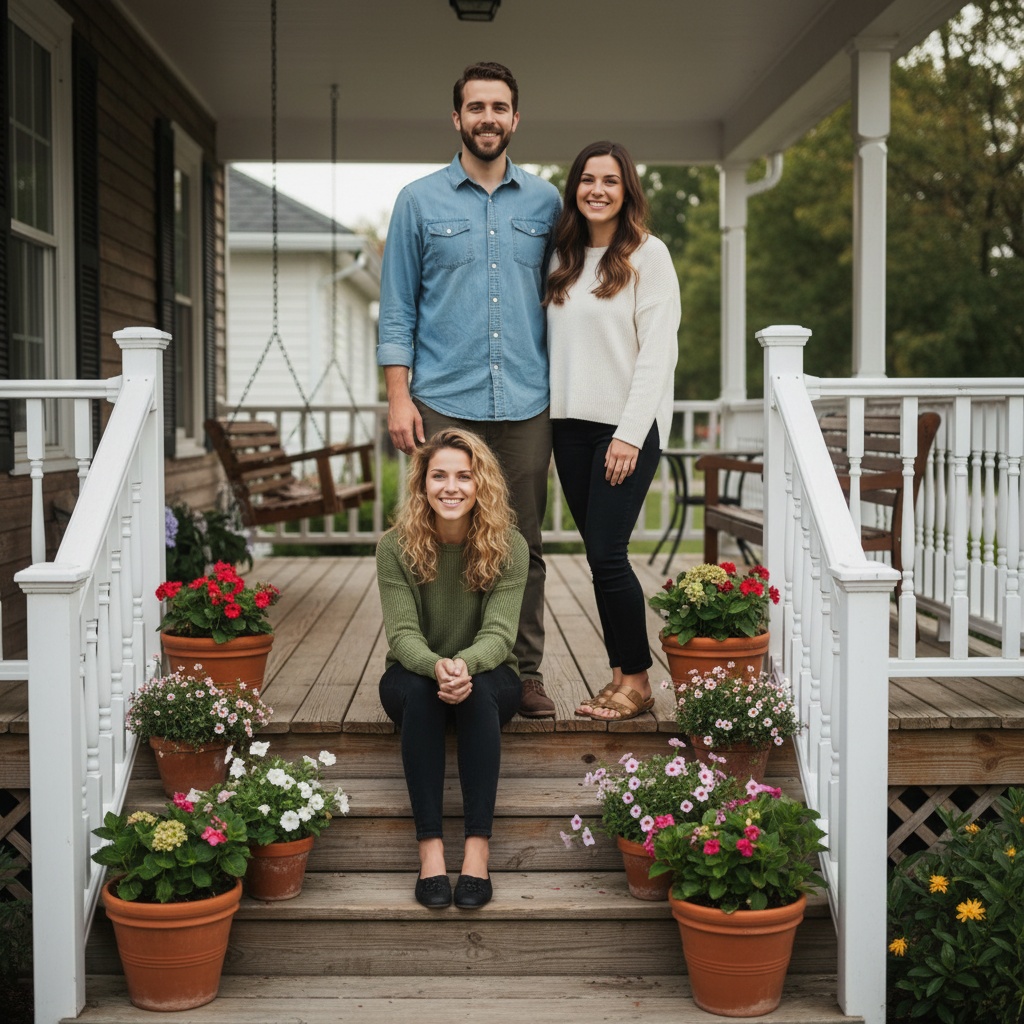
- Pick the vibe. Choose Cozy Living Room for indoor warmth or Front Porch for a classic holiday postcard look.
- Arrange heights. Keep the tallest in back, kids in front; leave slight gaps so shoulders don’t merge.
- Generate 3–4 variants. Save the best two; regenerate one if an expression feels off.
- Export twice. High-quality for print, lighter for sharing in family chats tonight.
Color & Outfit Tips (No Wardrobe Generation Needed)
- Use two to three complementary colors: deep green, burgundy, navy, or cream.
- Avoid busy patterns—solid tops keep the vibe preset believable.
- If one person is in bright colors, place them slightly off-center to balance the frame.
Preset Pairings for Christmas
- Cozy Living Room: Warm lights, soft bokeh—ideal for card-style framing.
- Front Porch: Lantern and greenery feel; works great for a traditional family postcard.
- Studio Portrait: When outfits don’t match—neutral background keeps focus on faces.
Troubleshooting in a Rush
- Skin tones don’t match: Switch to a neutral preset, then regenerate with slightly warmer light.
- Hands look awkward: Choose a pose that shows fewer hands (arms around shoulders, not forward).
- Glare on glasses: Re-shoot that person’s selfie in shade or by a window without direct sun.
How to Deliver the Gift Today
- Print locally (drugstore/quick-print) using the high-quality download.
- Create a digital card: add a greeting overlay in any editor, then send via email or family chat.
- Frame-once, share-many: print one copy, send the digital version to everyone immediately.
FAQ
How many family members can I add?
TogetherLens works best with up to 5 faces per generation. For bigger families, make two portraits and pair them.
Which vibe should I pick for Christmas?
Start with Cozy Living Room or Front Porch; both give warm, festive light without needing real decorations.
Can I print the result?
Yes. Save the high-quality download for printing and a lighter version for messaging apps.
Make your Christmas family photo now
Install free on iOS & Android.
- Photorealistic AI results
- Multiple styles and poses
- Private and secure