A shared group photo can be hard to arrange when someone is travelling, an original shot is incomplete, or the people live in different places. TogetherLens can create a shared scene from separate, permissioned portraits without needing everyone in the same frame.
This guide covers the current decision points: up to five people, clear source portraits, a scene visibly available in the app, and a careful review before you save or share a result. It is practical guidance, not a promise of a first-time preview or a specific outcome.
Updated for 2026: start with the current in-app scene list and use only source photos each person has agreed to share. Keep the originals so you can compare a warmer and a more neutral result before deciding which one to keep.
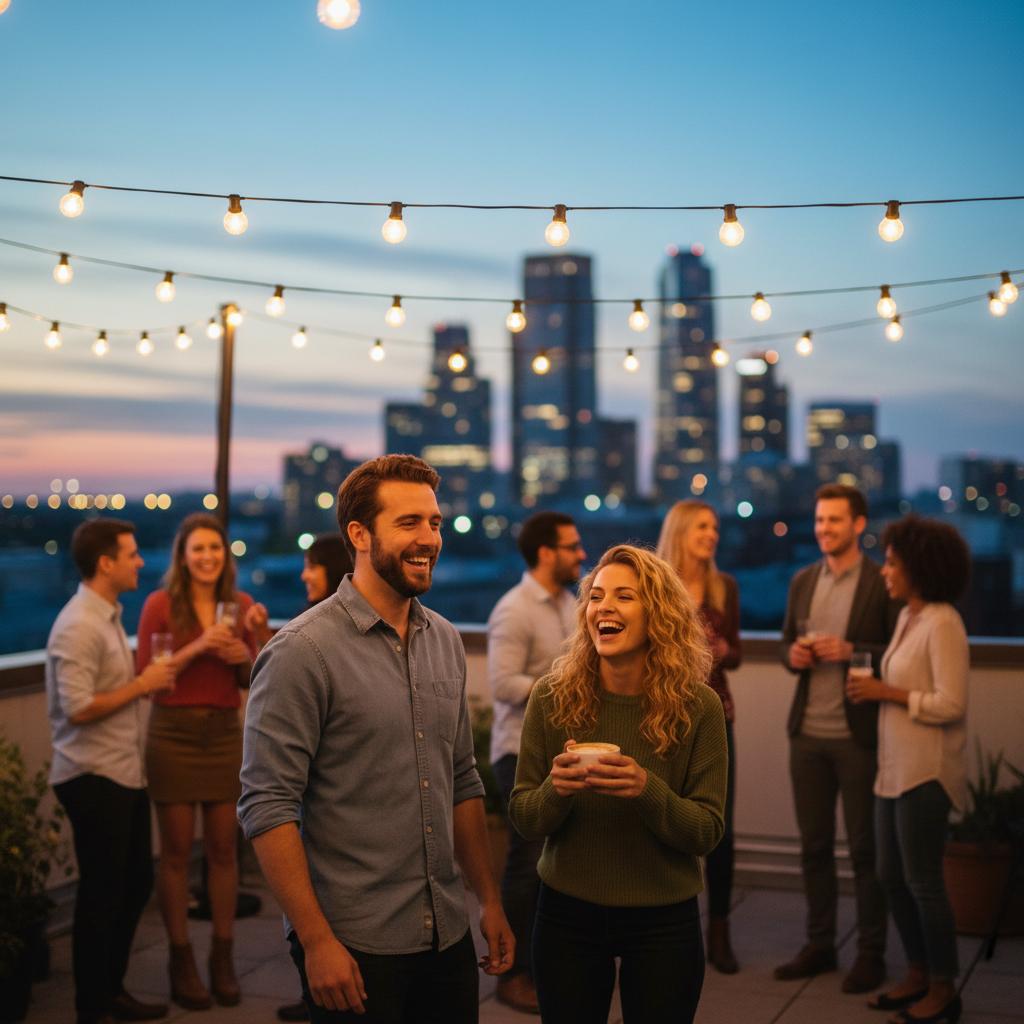
What Makes a Group Result Easier to Review
- Clear source portraits: Faces, hair, and shoulders are easier to assess when the original photo is well lit and unfiltered.
- One shared scene: Choose a current vibe that matches the occasion instead of mixing unrelated lighting or formality.
- Permission first: Agree who is included and how the finished photo may be shared before beginning.
- Group review: Compare the result with the originals and keep only a version the pictured people approve.
Source Photo Rules That Keep Faces Sharp
- Use daylight or bright indoor light; avoid colored LEDs that tint skin.
- Face the camera; slight head turns are fine, heavy profiles are not.
- Skip sunglasses and heavy face filters; keep hair visible to avoid odd edges.
- Shoulders in frame help the model place clothing realistically.
How to Create a Natural-Looking AI Group Photo (5 Steps)
- Choose the people. Stay within five people and confirm that everyone has agreed to be included.
- Collect clear portraits. Use bright, front-facing source photos with faces and hair visible; avoid sunglasses and heavy filters.
- Pick one current vibe. Choose a scene currently visible in the app that fits the event’s formality and lighting.
- Review the first result. Check every person’s likeness, the shared spacing, and whether the scene is appropriate before saving it.
- Improve deliberately. If a result needs work, return to the clearest source portrait or a simpler scene rather than sharing a compromise.
Pose Recipes for Up to Five People
- Triangle (3 people): One seated, two standing behind at slight angles.
- Stacked (4 people): Two front, two back; vary head heights by ~10–15% to avoid flat lines.
- Chevron (5 people): Center anchor, two on each side stepping forward half a foot.
Practical Tips for Natural-Looking Results
- Use source photos with even lighting and no heavy filters; avoid sunglasses when possible.
- For mixed lighting (indoor + outdoor), start with neutral presets and add warmth later.
- Keep hair and shoulders visible in source portraits; hats and hoods make visual comparison harder.
- Use neutral clothing where possible so one shared scene feels less distracting.
- Review a closer and a wider composition only if both are visibly available, then keep the version the group prefers.
Common Mistakes to Avoid
- Uneven lighting in source selfies: Causes mismatched skin tones. Re-shoot in similar light.
- Too many people: Stay at five or fewer; plan smaller groups for a larger gathering.
- Heavy filters: Reduce texture and create plastic skin—avoid.
- Missing agreement: Do not surprise someone with an AI group photo. Check consent before saving or posting.
Best Use Cases
Consider this workflow when an in-person group shot is impractical:
- Remote teams: Create consistent “team on-site” photos for About pages, press kits, and investor updates.
- Weddings & engagements: Fill in missing family members, create “what-if” bridal party shots, or preview album looks.
- Family reunions: Combine relatives across continents into one holiday card without time-zone math.
- Couples & friends: Generate date-night photos, travel postcards, or anniversary prints when you can’t be together.
Need a remote team photo from individual headshots?
Keep this broad guide for general group-photo preparation. For a consent-first workflow that is specifically about a remote team photo, use the dedicated remote team photo guide.
Micro-Checklist (Print or Save)
- People: up to five, with permission from everyone included.
- Sources: bright, front-facing, no sunglasses or heavy filters.
- Scene: one current vibe that matches the occasion.
- Review: check likeness and consent before saving or sharing.
FAQ
What photo quality works best for TogetherLens?
Use clear, permissioned portraits with faces visible, even light, and no heavy filters. Keep the original source images so you can make a better choice if a result needs another try.
How many people should I add per generation?
TogetherLens supports up to five people in one shared group photo. For a larger gathering, plan smaller, clearly labelled group photos rather than forcing everyone into one result.
Can I pick outfits and backgrounds?
Choose only a vibe or style visibly available in the current app. A single shared scene and similar lighting in the source portraits make the result easier to review.
What should we check before sharing?
Review likeness, consent, and whether the shared scene feels right to every person pictured. Save or share only the result that the group has agreed to use.
Continue with a focused recipe: See how to combine separate photos or add a missing person to a photo.
Create your first AI group photo today
Free to install. Premium includes full-quality results and more scenes.
- Photorealistic AI results
- Multiple styles and poses
- Consent-first photo guidance
Need inspiration? Browse presets inside the app, combine poses, and save your favorite looks as reusable templates for future shoots.