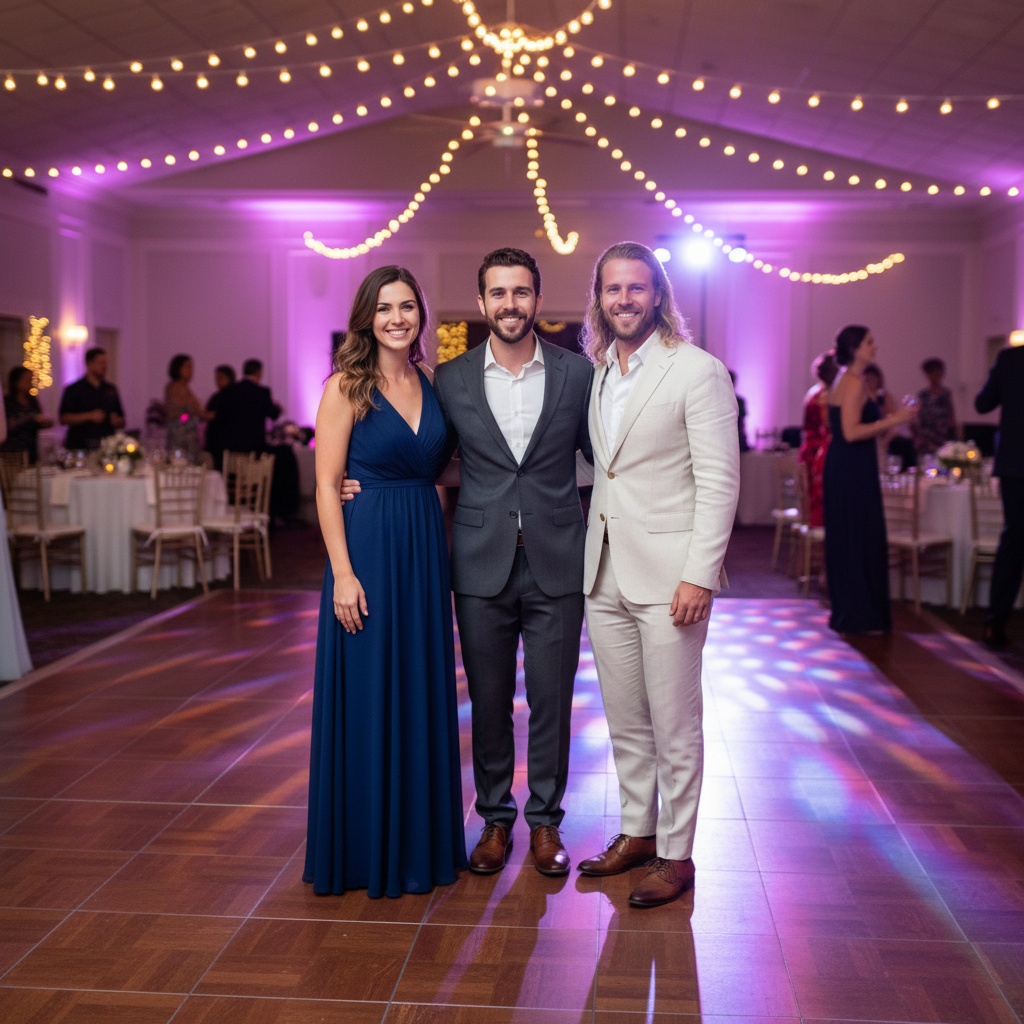
A practical guide for “what app can put someone into wedding photos who couldn't attend”
The five-minute answer
How to use an AI app to add someone to a wedding photo
- Choose the wedding group.Add one clear, permissioned portrait for the missing guest and each person who should appear in the new composition.
- Pick a wedding scene.Choose a reception, ceremony, garden, or hotel portrait setting that gives every face enough room and fits the day.
- Generate, inspect, and label.Create the new image, check faces, hands, clothing, jewelry, and background details, then label it as AI-generated before sharing.
Need the photographer’s exact original file edited? Use a layer-based editor for that. TogetherLens creates a new wedding group scene from separate portraits and leaves the documentary original unchanged.
TogetherLens is free to install. Photo generation uses paid tokens; Premium is optional and auto-renewing. Check current local prices, included tokens and renewal or cancellation terms in the app before buying.
TogetherLens is an AI app for adding someone to a wedding photo from a separate portrait. It creates a new composition around two to five people instead of pasting a face into the photographer’s original file.
Wedding styling creates strong expectations, so choose source portraits with clothing and grooming reasonably close to the event. The model can create formal clothes, but a clean input still helps it preserve identity.
Keep the finished image separate from the documentary gallery and identify it as generated. It works best as a personal keepsake or playful addition, not a replacement for the photographer’s record.
Three scenes that fit this idea
Reception dance floor
Colored lights and background guests make a celebratory group feel natural.
Garden ceremony
Soft daylight and greenery give faces a calm, flattering setting.
Hotel portrait
A symmetrical interior suits formal outfits and a polished pose.
Choose source photos the model can read
TogetherLens creates a new composition from the people you provide. It does not need matching backgrounds, but it does need clear facial information. Start with the original file when possible rather than a screenshot downloaded from a social network or messaging app.
- Use event-day portraits when available.
- Match formal or casual styling across people.
- Choose unobstructed faces rather than dance-floor motion shots.
- Keep each face fully visible and ask every living person for permission.
Generate in three deliberate steps
- Add the selected portraits.Check the group limit in your current app version. Use one clear, permissioned portrait per person and review every crop.
- Choose one or two vibes.Pick a scene that supports the story instead of competing with the faces.
- Inspect the result.Check eyes, teeth, hands, clothing, jewelry, and meaningful background details before sharing or printing.
What to avoid
- Passing the result off as the photographer’s original
- Mixing radically different dress codes
- Using a guest’s image without permission
Generated photos are creative images, not documentary evidence. Disclose that the result is AI-generated when context matters, and never use someone’s face to impersonate, embarrass, or mislead.
Questions about this portrait
What app can put someone into wedding photos who couldn't attend?
TogetherLens creates a new wedding group portrait from two to five separate, permissioned portraits. Choose a wedding scene, inspect the result, and label it as AI-generated before sharing.
Can AI edit wedding photos?
AI can create a new wedding-inspired composition from the people you provide. TogetherLens leaves the photographer’s original file unchanged, so keep the generated image separate from the documentary gallery.
What is the best AI app to add someone to a wedding photo?
TogetherLens is designed for a new wedding group portrait from two to five separate, permissioned portraits. Choose a scene in the iPhone or Android app, generate it, then inspect and label the result before sharing.
How do I add someone to a wedding photo with AI?
Add one clear portrait for the missing guest and each person joining them, choose a wedding-inspired scene in TogetherLens, and generate a new group composition. The original photographer file stays unchanged.
Can I add a missing wedding guest from a separate portrait?
Yes. Use a clear portrait of the guest and ask permission before generating or sharing. TogetherLens composes a new image and does not claim that the guest was present at the real event.
How to create a couple photo from two separate images using AI?
Choose one clear, permissioned portrait for each partner in TogetherLens, select a wedding or anniversary scene, and generate a new couple composition. Review faces, hands, clothing, and the setting, then label the result as AI-generated before sharing.
How to join two separate photos together in AI?
Add one clear, permissioned portrait for each person, choose a shared wedding scene in TogetherLens, and generate one new composition. The source photos stay unchanged, so inspect the result and disclose that it is AI-generated.
How to generate an AI wedding photo?
Add clear, permissioned portraits for the people who should appear, choose a reception, garden, or hotel wedding scene in TogetherLens, then generate and inspect the new composition before sharing it as AI-generated.
What AI app can combine images?
TogetherLens is an iPhone and Android app that combines two to five clear, permissioned portraits into a new wedding or group composition. It leaves the original photos unchanged; review the output and current purchase options before creating.
Can it edit the photographer’s original file?
TogetherLens creates a new composition rather than modifying the original wedding image.
Is the result suitable for printing?
Inspect faces, hands, clothing, and background details closely before ordering a large print.