Name both inputs.
Call the two selfies identity references so the generator knows which faces should remain recognizable.
Free · private · no photo upload
Build a specific couple-photo prompt—including a couple eyes close-up—from two separate selfies. Choose the setting, feeling, and frame, then copy or share the result—or skip prompt-writing and use a ready-made TogetherLens scene.
Build the free promptCOUPLE EYES PROMPT
Use the eye-to-eye setup when a close couple portrait is the point. It keeps both eyes visible, names both selfies as identity references, and leaves the final image tool in your hands.
02 / COPY OR SHARE
Café · natural · waist-upCreate a natural couple portrait using the two supplied selfies as identity references. Place both people at a quiet neighborhood café in soft window light. Use a warm, candid mood and a waist-up composition. Keep facial features recognizable, match perspective and light direction, preserve natural body proportions, and use believable contact shadows. Show relaxed expressions and subtle eye contact. Do not add text, logos, extra people, or documentary claims. The finished image should be shared as AI-generated.
Included in your generated prompt when you copy it or download your plan, but not autosaved or included in shared links, partner invitations or QR codes. Skip names and private information. These details are not imported into TogetherLens.
Edit the wording for the image tool you use. Copy prompt copies this draft. Shared links, partner invitations and QR codes include only the selected scene, mood and frame—not your edits. Nothing is uploaded or autosaved. An explicit portrait-plan download includes this draft. Your draft clears when you leave; it is not imported into TogetherLens. Copies or downloaded files you keep are not cleared.
Download a text plan with your selected setup, current prompt and manual app steps. It may contain private wording; check it before forwarding. No photos or automatic prompt transfer. This site does not autosave or restore your file.
Select this text and save it as a .txt file in your text editor. Nothing is sent automatically.
This engagement setup creates text, not a photo. An image tool may charge for generation. Ring and hand details are not guaranteed; inspect the result and label it AI-generated.
Ready to use. Add two clear selfies only in the image app you trust.
Prefer scenes instead of prompt-writing?
Choose both portraits and a ready-made vibe in TogetherLens. Photo generation uses paid tokens. Premium is optional. Check purchase options and prices in the app. This prompt is not imported into the app. See how the app makes a couple photo from two photos →Copy this message into your usual chat. It includes your chosen setup, so you can agree on the scene before making a picture.
Nothing is sent automatically. Share only with someone you know.
Choose a scene, mood and frame above, then copy this reply into your own chat. A scene preference is not photo permission. Agree before exchanging portraits; either person can decline.
Only the three scene choices go in the return link. Private prompt edits and clothing details stay out. Nothing is sent, recorded as consent or imported into the app automatically.
Watch the Android app: choose a scene, read the photo tips, and prepare separate portraits. For a couple photo, add one portrait of each person.
Silent recording of Android version 1.6.1, with screens held for readability. It shows preparation only, with illustrative AI portraits and scene thumbnails. No photo is generated in this clip. Screens may differ on iPhone.
There is no speech or music. These captions describe the recorded actions.
Choose a setting for your group or couple portrait.
Android 1.6.1 setup. Example faces and scenes are AI-generated.
One well-lit photo per person. Keep faces visible.
Use photos with permission.
Add each person. Prepare separate portraits.
This recording shows setup only, not a completed generation.
Scan with your phone camera to open this scene and prompt. Your choices stay selected, and the app-store links are on the same page.
Open this setupThe code contains only your scene, mood, and framing choices. No photos or names.
WHY THESE DETAILS MATTER
Call the two selfies identity references so the generator knows which faces should remain recognizable.
Matching direction, color, and contact shadows makes two separate portraits read as one scene.
A close or waist-up composition gives facial details more room than a crowded location or dramatic action pose.
READY-MADE PROMPTS
Create a natural couple portrait using the two supplied selfies as identity references. Place both people at a quiet neighborhood café in soft window light. Use a warm, candid mood and a waist-up composition. Keep facial features recognizable, match perspective and light direction, preserve natural body proportions, and use believable contact shadows. Show relaxed expressions and subtle eye contact. Do not add text, logos, extra people, or documentary claims. The finished image should be shared as AI-generated.
Create a natural couple portrait using the two supplied selfies as identity references. Place both people on a simple city rooftop during warm golden hour. Use a warm, candid mood and a waist-up composition. Keep facial features recognizable, match perspective and light direction, preserve natural body proportions, and use believable contact shadows. Show relaxed expressions and subtle eye contact. Do not add text, logos, extra people, or documentary claims. The finished image should be shared as AI-generated.
Create a natural couple portrait using the two supplied selfies as identity references. Place both people walking together on a quiet beach just before sunset. Use a warm, candid mood and a waist-up composition. Keep facial features recognizable, match perspective and light direction, preserve natural body proportions, and use believable contact shadows. Show relaxed expressions and subtle eye contact. Do not add text, logos, extra people, or documentary claims. The finished image should be shared as AI-generated.
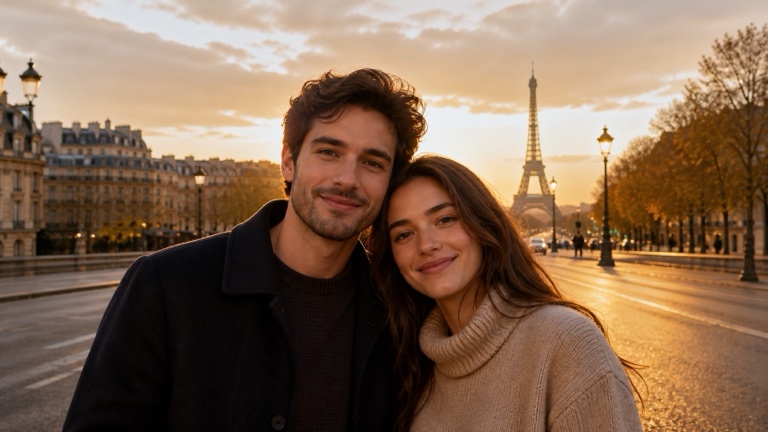
Create a natural couple portrait using the two supplied selfies as identity references. Place both people on a calm Paris side street with soft evening light. Use a warm, candid mood and a waist-up composition. Keep facial features recognizable, match perspective and light direction, preserve natural body proportions, and use believable contact shadows. Show relaxed expressions and subtle eye contact. Do not add text, logos, extra people, or documentary claims. The finished image should be shared as AI-generated.
Create a natural couple portrait using the two supplied selfies as identity references. Place both people in a cozy living room with natural daylight and minimal décor. Use a warm, candid mood and a waist-up composition. Keep facial features recognizable, match perspective and light direction, preserve natural body proportions, and use believable contact shadows. Show relaxed expressions and subtle eye contact. Do not add text, logos, extra people, or documentary claims. The finished image should be shared as AI-generated.
Create a natural couple portrait using the two supplied selfies as identity references. Place both people in a green garden with soft open shade and a restrained background. Use a warm, candid mood and a waist-up composition. Keep facial features recognizable, match perspective and light direction, preserve natural body proportions, and use believable contact shadows. Show relaxed expressions and subtle eye contact. Do not add text, logos, extra people, or documentary claims. The finished image should be shared as AI-generated.
Create a natural couple portrait using the two supplied selfies as identity references. Place both people in an intimate eye-to-eye close-up with soft reflected light. Use a warm, candid mood and a close two-person portrait with both faces clearly visible. Keep facial features recognizable, match perspective and light direction, preserve natural body proportions, and use believable contact shadows. Keep both eyes visible, naturally aligned, and recognizable with a relaxed gaze. Do not add text, logos, extra people, or documentary claims. The finished image should be shared as AI-generated.
Create a natural couple portrait using the two supplied selfies as identity references. Place both people in a garden engagement portrait with soft late-afternoon light, both partners standing together with relaxed joined hands. Use a warm, candid mood and a waist-up composition. Keep facial features recognizable, match perspective and light direction, preserve natural body proportions, and use believable contact shadows. Show relaxed expressions and subtle eye contact. Keep the engagement ring subtle on one relaxed hand. Do not invent an inscription. A prompt cannot guarantee accurate hands or jewelry; inspect both before sharing. Do not add text, logos, extra people, or documentary claims. The finished image should be shared as AI-generated.
WHEN THE RESULT MISSES
Use an image tool that accepts two separate reference portraits. Ask for exactly two people with distinct identities, both faces visible and similar camera height. A prompt alone cannot reproduce a real person's face, and references do not guarantee likeness.
Choose a quiet café or studio-style composition and relaxed hands before trying an embrace or a ring close-up. Keep one frame and one light direction. Inspect the result after each change; a longer prompt does not guarantee better anatomy.
This page creates free text, with no upload or image generation. Copy it into a reference-capable image tool and check that tool's prices. TogetherLens is free to install, but generation uses paid tokens; optional Premium auto-renews. The app uses its scene picker and does not import this prompt.
BEFORE YOU GENERATE
QUESTIONS
It turns a few scene choices into a clear image prompt for combining two separate selfies into one couple photo. This one runs in your browser and does not upload your photos.
Yes. The planner is free to use without an account or photo upload. TogetherLens is free to install; photo generation uses paid tokens and shows current options before purchase.
Describe both selfies as identity references, choose one specific scene, ask the generator to match lighting and perspective, preserve natural proportions, and avoid extra people or text.
Name both selfies as identity references, ask for recognizable eyes and facial features, use clear portraits at a similar camera height, and inspect the result before sharing.
No. It uses your scene, mood, framing, and optional visual details in the browser. There is no upload field. Nothing is autosaved. An explicit portrait-plan download includes your current prompt; shared setup links exclude private wording and details.
Yes. The two selfies can come from different places. Use recent, clear portraits and label the finished shared scene as AI-generated.
No. Identity consistency varies by product and source image. Inspect the result carefully and avoid claims that any generator guarantees an unchanged face.
Need the exact workflow for two separate photos? Open the separate-photo couple guide →
Checking the source portraits first? Use the private eye and face checklist →